
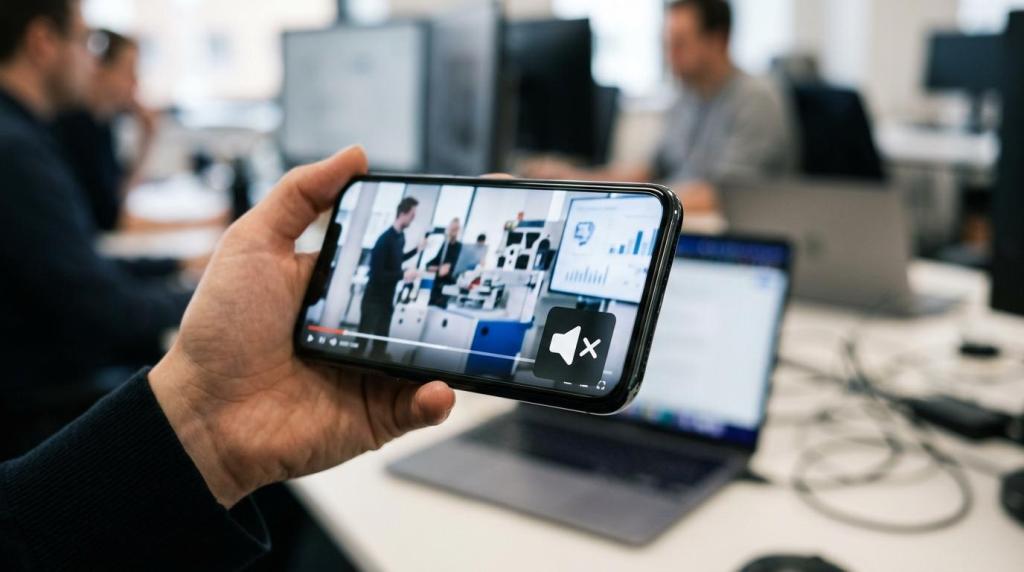
B2B product videos fail less because of camera quality than because the message is built for the wrong viewing conditions. At Q Filmz Media, an Edmonton video production company, we keep seeing the same pattern across Alberta campaigns: slow openings, audio-dependent edits, and weak proof turn solid products into forgettable videos.
TL;DR: Summary
- B2B product video performs better when it hooks in the first few seconds, works without sound, and uses proof that is truthful, supportable, and properly disclosed.
- LinkedIn reported average attention of 3.7 seconds for B2B ads, and four or more scene changes in the first three seconds lifted CTR by 19%.
- Sound-off viewing is common on mobile, so captions are not optional polish. They support accessibility, comprehension, and feed performance when viewers scroll with audio off.
- Testimonials, reviews, and product claims must be handled carefully. The FTC’s Endorsement Guides require truthful, non-misleading endorsements and disclosure of material connections.
- For Edmonton teams working with Q Filmz Media or any Edmonton video production company, a strong pre-launch review should test the hook, mute-viewing clarity, mobile framing, caption placement, and claim support.
That matters even more in Edmonton, where many B2B buyers first encounter product videos in LinkedIn feeds, sales emails, landing pages, and conference screens. If a product video does not communicate value fast, cleanly, and credibly, it can lose attention before the product story has a chance to land.
Why do B2B product videos lose attention so quickly?
B2B product videos lose attention quickly because buyers often see them in distracted settings, especially on LinkedIn and mobile. When the opening frames delay the value proposition, the viewer has little reason to stop scrolling.
LinkedIn’s B2B Creative Effectiveness Study found that viewers paid attention to an ad for an average of 3.7 seconds. That is not much time to explain a platform, workflow, or technical feature set. It means the first moments need to answer a simple question: why should this buyer care right now?
A common misconception is that complex products need a slow build. In practice, complexity makes a fast opening more important, not less. If the viewer cannot identify the problem, product category, or outcome almost immediately, the rest of the edit becomes irrelevant.
“Q Filmz Media keeps production 100% in-house, which helps Edmonton B2B teams refine the hook, captions, and cutdowns without outsourcing delays.”
How fast should a product video hook the viewer?
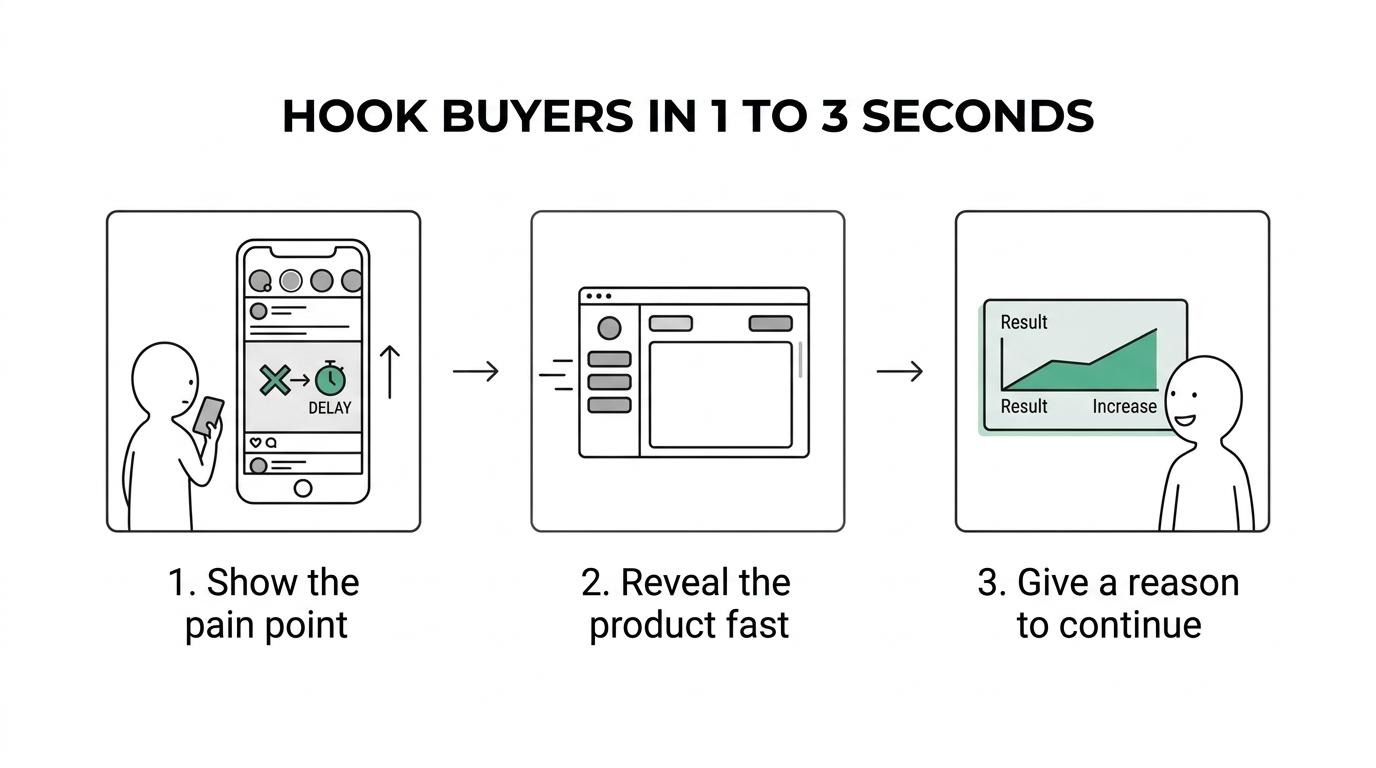
A B2B product video should hook the viewer in the first one to three seconds. The opening should show the problem, the product, or the outcome before the viewer decides to keep scrolling.
A practical way to structure this is step by step. First, lead with a recognisable pain point or outcome. That might be a broken workflow, a costly delay, or a headline that states the result. Second, reveal the product interface, use case, or physical product quickly so the viewer knows what category they are watching. Third, give the audience a reason to continue, like a specific capability, proof point, or use case.
LinkedIn also found that four or more scene changes within the first three seconds produced a 19% increase in CTR. That does not mean making the edit chaotic. It means visual momentum matters. If the first frames are static, overlong, or logo-heavy, attention drops.
One more trade-off matters here. Branding too early can hurt watchability if it replaces story. LinkedIn reported that placing branding in the second half of a video produced a 40% lift in completion rate. So if your instinct is to open with a full logo animation, test that against an opening that starts with the buyer problem.
What are the 9 product video mistakes B2B brands make most often?
The most common product video mistakes are predictable. Most of them come from treating B2B viewers as captive audiences instead of distracted decision-makers.
When we review weak product videos, the pattern is usually not bad cinematography. It is bad sequencing, unclear proof, or ignoring how people actually watch video in feeds and on mobile devices.
- Slow openings that hide the value until too late
- Overreliance on voiceover to explain the product
- No captions or poor auto-captions left uncorrected
- Captions placed over UI, faces, or key product details
- Mobile crops that cut off text, screens, or demos
- Testimonials edited like proof without proper support
- Product claims that sound objective but are not substantiated
- Early branding that interrupts the story instead of helping it
- One master edit used everywhere with no channel-specific versioning
What happens when a product video depends on audio?
Audio-dependent product videos are less reliable across mobile feeds, LinkedIn, and autoplay placements. Q Filmz Media plans B2B product videos so the core message still lands when the sound is off.
LinkedIn reported that 21% of mobile B2B video viewers had their sound permanently turned off. The same research said 37% of mobile viewers typically listened with sound on, compared with 56% on laptop or desktop. That does not mean audio is unimportant. It means audio cannot be the only carrier of meaning.
If the voiceover contains the main product promise, then a muted viewer misses the point. If the edit uses text, clean product visuals, captions, and on-screen cues, then the message survives both autoplay and quiet environments. That is a major difference in real campaigns.
“For Q Filmz Media, a strong product video still makes sense on mute, on mobile, and in a sales deck.”
How should captions work in a B2B product video?
Captions should support meaning, accessibility, and retention without covering important visuals. WCAG 2.2 and ADA web guidance both make captions a practical requirement for many business videos.
Step one is to decide what needs to be captioned and what should be written as intentional on-screen copy. A spoken sentence may need a cleaned-up caption, while a product benefit may work better as a designed text overlay. Do not let captions carry two jobs badly.
Step two is placement. WCAG 2.2 states that captions should not obscure relevant information in video. That matters a lot in product demos, screen recordings, dashboards, and device close-ups. A common mistake is placing captions in the same lower third where the product interface is already showing critical detail.
Step three is quality control. Auto-captions save time, but they often miss terminology, brand names, and industry language. A 2024 PubMed-indexed study found that captioned videos improved listening comprehension scores across all tested groups compared with no-caption conditions. That does not mean every caption style works equally well. It means removing captions entirely usually makes comprehension worse.
For Edmonton companies selling technical services, software, industrial systems, or education tools, captions help far beyond accessibility compliance. They make the product easier to follow in open offices, trade show floors, and silent social feeds.
Are testimonials and product proof the same thing?
No, testimonials and product proof are not the same. A testimonial is someone’s endorsement or experience; product proof is the evidence that supports a claim about performance, outcomes, or results.
This distinction matters because B2B teams often edit customer praise into a sequence that sounds like objective proof. “This saved us hours” may be a customer experience statement. “This cuts onboarding time by 40%” is a measurable performance claim that may require substantiation. If the viewer hears the second as a fact, the advertiser is responsible for support.
The FTC revised its Endorsement Guides in June 2023 to address social media, incentivized reviews, employee reviews, fake negative reviews, and disclosure rules. The core principle is clear: endorsements and testimonials must be truthful, not misleading, and supported by the advertiser if the claim would require proof.
A frequent misconception is that a testimonial becomes safe simply because a customer said it on camera. It does not. If the edit presents that statement as typical, expected, or broadly representative, then your team should check whether the claim can be supported and whether additional context is needed.
When does a product claim need evidence or disclosure?
A product claim needs evidence when it communicates a factual, measurable, or objective result. It needs disclosure when a material connection could affect how the viewer evaluates the endorsement.
A simple step-by-step test helps. First, ask whether the statement is subjective or objective. “We love the platform” is subjective. “It reduced errors by 25%” is objective and needs support. Second, ask whether the speaker has a material connection to the brand. If they were compensated, are an employee, or received an incentive, that relationship may need clear and conspicuous disclosure. Third, ask whether the edit implies a typical outcome. If it does, the broader claim must not be misleading.
The FTC’s language around clear and conspicuous disclosure is especially relevant to short-form video and testimonial edits. Tiny text, buried end cards, or disclosures placed after the key claim may not do the job. If the endorsement is central to the sales message, the disclosure should be easy to notice and easy to understand.
This is not just a legal issue. It is a credibility issue. B2B buyers in Edmonton tend to be cautious with procurement, vendor review, and internal sign-off. Unsupported claims can weaken trust even before anyone raises a compliance concern.
Should you optimise for mobile or desktop first?
You should optimise the first impression for mobile, then preserve deeper usability for desktop. Most B2B product videos now live across feeds, messages, landing pages, and sales presentations, so the opening has to survive small screens.
LinkedIn reported that professional audiences were almost as likely to watch B2B video on mobile as on desktop or laptop. That means framing, text size, interface crops, and caption placement need to hold up on a phone. Thin text, tiny UI elements, and wide-only compositions break quickly on mobile.
Desktop still matters, especially for detailed walkthroughs, platform tours, and longer demos. So the comparison is not mobile versus desktop in absolute terms. It is mobile first for stopping power, desktop supported for depth. If your team has only one version, the compromise often hurts both environments.
A practical fix is versioning. Keep a master narrative, then adapt aspect ratio, text density, and crop strategy for each channel. That approach usually outperforms one-size-fits-all editing.
How do you audit a product video before launch?
A pre-launch audit should test clarity, proof, and accessibility before budget is attached to distribution. At Q Filmz Media, we review product video cuts against hook strength, mute comprehension, caption safety, and claim support before Edmonton clients publish.
The fastest way to do this is to review the cut as a first-time buyer, not as the internal team that already knows the product. Watch the first five seconds with no sound. Then watch the full cut on a phone. Then review every testimonial, claim, and text layer for support and disclosure.
Use a short pre-launch checklist:
- Five-second test: Can a first-time viewer state what the product does?
- Mute test: Does the value proposition still land with sound off?
- Caption test: Do captions avoid covering interfaces, faces, or product details?
- Proof test: Can each testimonial-style claim be supported or qualified?
- Mobile crop test: Does square or vertical framing protect critical visuals?
One useful pro tip is to include someone from sales or customer success in the review. Marketing teams often focus on polish, while revenue teams quickly spot confusing claims, missing objections, or language that real buyers would not use.
If your team is planning a new product video, this is also the right time to map it to channel purpose. A homepage product video, a LinkedIn paid video, and a sales enablement cut should not all be identical, even if they come from the same shoot.
For related planning, see our Edmonton video production page and our corporate video production in Edmonton service page. Ready to strengthen your brand with professional product video production in Edmonton? Contact Q Filmz Media today for a free project consultation and quote.