Conference videography in Edmonton usually gets scoped around cameras, crew, and a highlight reel. The bigger wins tend to come earlier, in decisions about accessibility, live coverage, reuse, and proof of what was captured. At Q Filmz Media, we see the same pattern again and again: event teams often lose value before the first speaker reaches the stage.
TL;DR: Summary
- The most overlooked conference videography needs in Edmonton are early caption planning, live accessibility, and footage designed for reuse after the event.
- Harvard Digital Accessibility Services advises planning captions and audio description before production starts, because adding them later takes more time and often costs more.
- WCAG guidance for synchronized media treats captions as more than dialogue. They should also identify speakers and key sound effects, and live audio content needs live captions.
- Auto-generated captions alone are risky for conference content. Research summarized in PMC notes that captions can improve comprehension, attention, and memory, but poor caption accuracy can interfere with those benefits.
- For Edmonton event teams working with Q Filmz Media or any conference videographer, the best conference video plan includes both live delivery and post-event assets like full sessions, shareable highlights, and short cut-downs.
That matters in Edmonton, where conferences often serve several audiences at once: in-room attendees, remote viewers, sponsors, internal stakeholders, and future prospects. Whether the event supports a corporate launch, an industry summit, a non-profit forum, or a university program, the video plan should cover what happens during the conference and what the footage must do after it ends.
Why do conference videos fail before cameras roll?
Most conference video problems start in pre-production, not on the show floor. In Edmonton, teams often book cameras before deciding who needs live access, what content must be reusable, and how success will be measured after the event.
A common mistake is treating conference videography as a single deliverable. If the brief only says “capture the event,” the crew may get strong footage but still miss the assets marketing, HR, sponsors, or leadership actually need. That usually shows up later as missing audience reactions, no clean keynote audio, poor caption accuracy, or no usable interview content for post-event promotion.
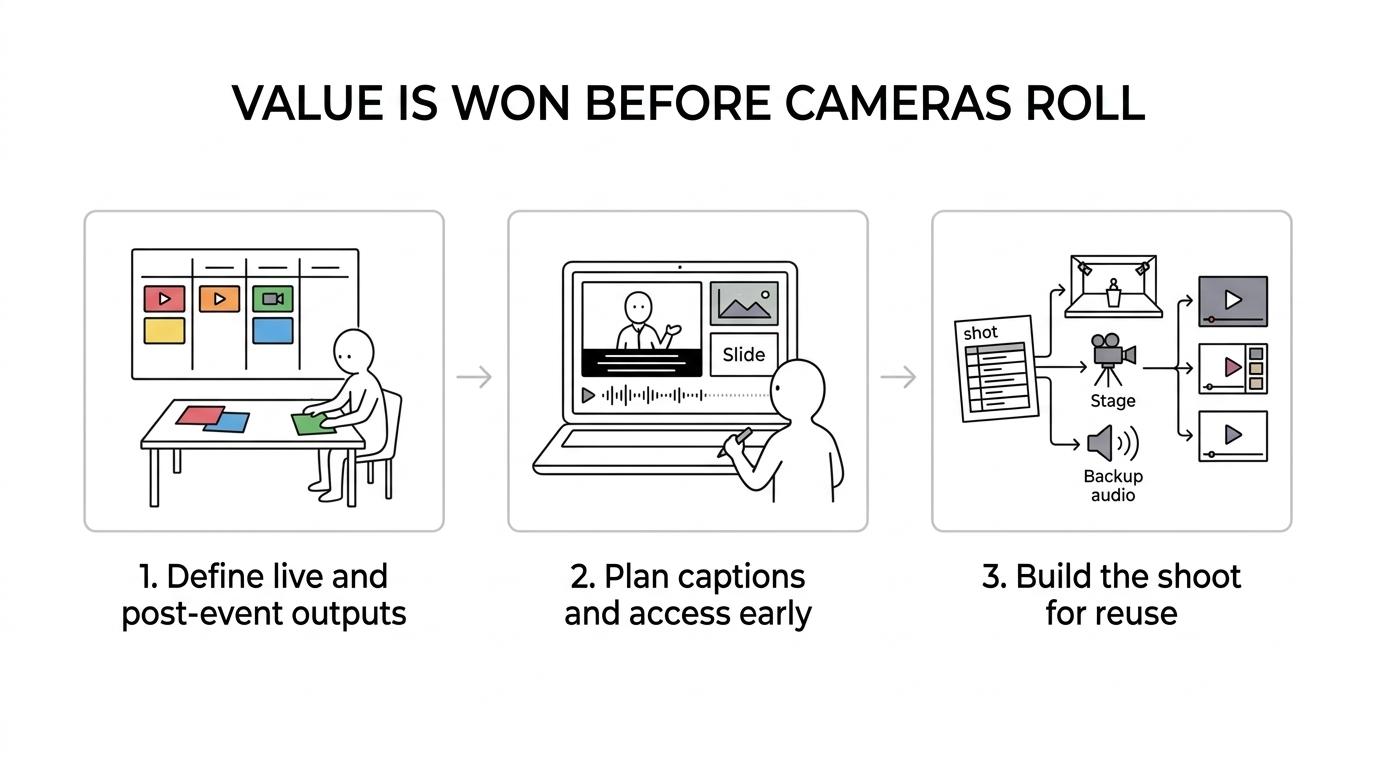
The better approach is to define outputs first. If you need live streaming, on-demand sessions, sponsor proof, social clips, and a recap, then the shot plan, audio setup, graphics workflow, and editing timeline should be built around those outputs from day one.
When should captions and audio description be planned for conference videography?
Before the shoot begins, Q Filmz Media and any serious Edmonton video production company should scope captions and audio description in pre-production. Harvard Digital Accessibility Services is clear that the efficient approach is to plan captioning and audio description before production starts.
That point gets overlooked because many teams assume accessibility can be handled after upload. It can, but often at a cost. If a keynote includes charts, demos, or on-screen action that the speaker does not explain, you may need audio description or a transcript alternative for viewers who cannot access the visual meaning. If you wait until the edit is done, you may find there is not enough space in the audio track, or the visuals were never framed clearly enough to support description.
Captions also need to do more than repeat spoken words. W3C guidance on synchronized media says captions should include dialogue, speaker identification, and significant sound effects. That matters at conferences because viewers need cues like “[applause],” “,” or the name of a panelist who is speaking off camera.
“Q Filmz Media uses a 100% in-house production team, which makes it easier to plan captions, approval steps, and short cut-downs before conference filming starts.”
What are the 7 conference video needs Edmonton event teams overlook?
The overlooked needs are usually practical, not flashy. They are the production details that turn a one-day event into accessible, usable business content.
- Caption planning: Decide before filming whether you need synchronized captions, open captions, or platform-based captions.
- Live caption support: Live streams and in-room screens have different timing and accessibility needs than edited recap videos.
- Speaker identification: Panel discussions need captions that show who is speaking, not just what was said.
- Audio description strategy: If visual demos or slide-heavy talks carry key meaning, plan description or transcript alternatives early.
- Clean audio redundancy: Take a board feed, room mic, and backup recording so keynotes are usable later.
- Reusable b-roll: Capture registration, networking, sponsor activations, signage, reactions, and venue context for future edits.
- Proof of coverage: Record what sponsors, executives, and stakeholders will ask for after the event, not just what looks cinematic in a recap.
How do live captions differ from captions for edited recap videos?
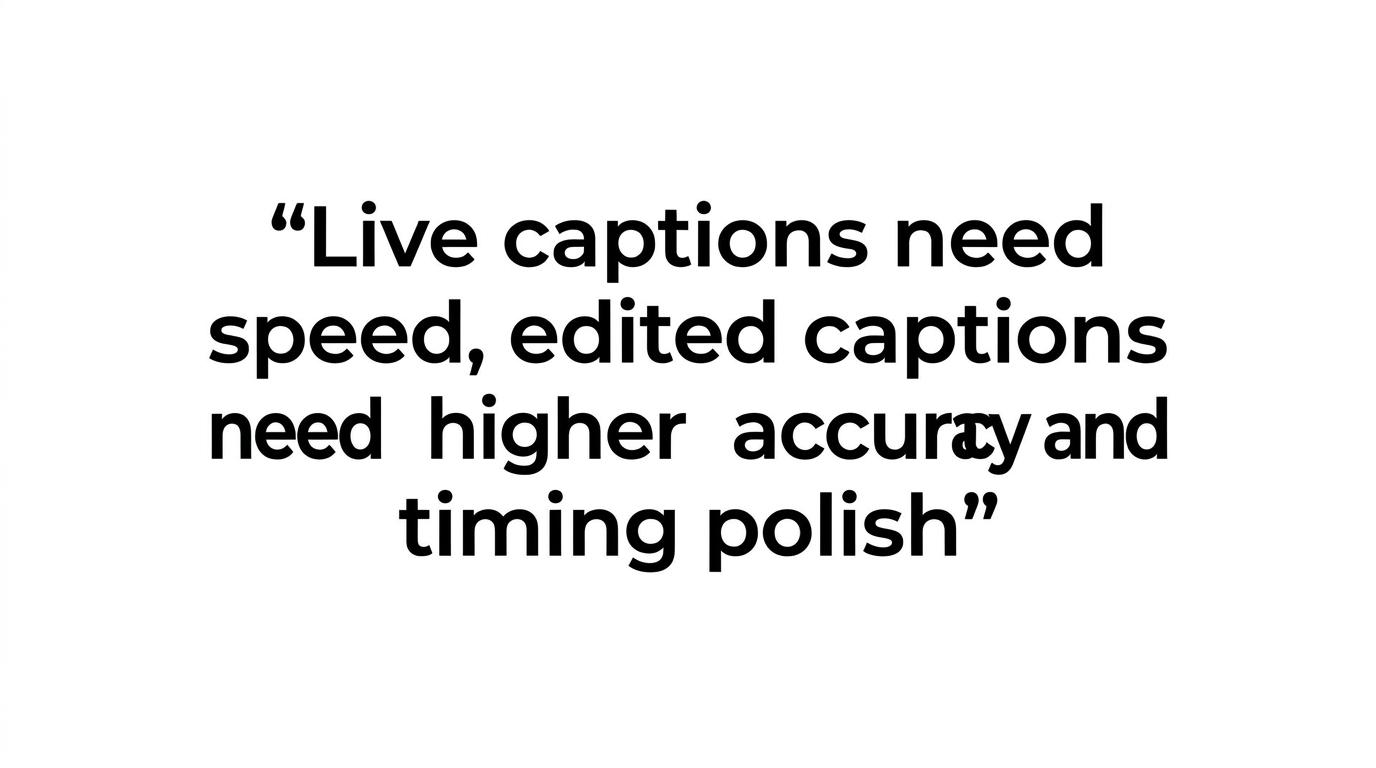
Live captions and edited captions solve different problems. Live conference coverage needs speed and access in the moment, while edited videos need higher accuracy, timing polish, and better handling of names, jargon, and speaker changes.
This is where event teams often assume one file can do everything. It rarely can. A live keynote stream may need captions generated or managed in real time, with speaker and sound-effect identification where possible. An edited highlight video can be reviewed, corrected, and timed more precisely before delivery.
The trade-off is simple. If you optimize only for speed, accuracy often drops. If you optimize only for polish, remote attendees may miss access during the event. Zero Project’s conference accessibility guidance points to live captioning when needed at the conference itself, while WCAG guidance emphasizes captions for live audio content in synchronized media. If your event has both a live audience and a long shelf life online, plan both workflows.
A second misconception is that auto-captions are good enough for corporate events. Research summarized in PMC notes that more than 100 empirical studies document benefits of captioning for comprehension, attention, and memory. The same article also warns that automatically generated captions can contain interfering errors. At a conference full of product names, panel titles, and industry terms, those errors can undercut the value of the video.
How should you capture a keynote so it works live and on-demand later?
A keynote should be captured as a dual-purpose asset. That means planning it for live delivery and for post-event viewing at the same time.
First, secure the cleanest possible audio path. Take a direct board feed where available, but do not rely on it alone. Room microphones capture audience questions, applause, and ambience that help the final edit feel complete. If one source fails, the other may save the session.
Second, decide what the audience must see. A locked wide shot protects the full stage presentation. A tighter camera gives expression and emphasis. If the slides carry important information, record them separately or obtain the deck for post sync. If the presenter uses physical demos, you need coverage that clearly shows the action.
Third, plan the metadata and labelling. Session titles, speaker names, lower thirds, chapter points, and file naming matter later when you are publishing multiple sessions quickly. This sounds operational, but it is where many event teams lose hours after the conference.
If the keynote is likely to become an internal training or sales asset later, ask that question before the schedule is locked. Then the crew can capture extra moments, alternate angles, and cleaner transitions that make repurposing much easier.
What footage should you capture beyond the stage?
The most reusable conference footage usually happens off stage. That wider context matters because attendee flow starts well before the first keynote, and Cooper Global’s conference transportation checklist shows how shuttle timing, arrivals, and venue access can affect both crowd movement and the moments crews have to capture clean establishing footage.
Registration, networking, sponsor interactions, venue exteriors, audience reactions, and branded environment shots often end up carrying the recap, recruitment clips, and next-year promotion.
Teams sometimes dismiss this as filler b-roll. It is not filler if it proves turnout, energy, sponsor presence, diversity of attendees, or how the event actually felt. In Edmonton, that matters for business conferences, education events, and industry gatherings alike. A forum linked to the University of Alberta, a science-oriented event, or a corporate summit all need environmental footage that shows context, not just speakers at podiums.
Pro tip: think about wayfinding and accessibility here too. If your event has interpreters, accessible entrances, branded signage, or special demo areas, capture them intentionally. Those shots can support accessible communications, sponsor reporting, and future event marketing.
How do highlight reels compare with full-session recordings?
Highlight reels and full-session recordings do different jobs. The best conference video strategy in Edmonton usually includes both, because each format serves a different audience and stage of the funnel.
A highlight reel is short, emotional, and selective. It is useful for social distribution, sponsor recaps, executive updates, and next-event promotion. A full-session recording is informational and durable. It supports on-demand education, internal knowledge sharing, lead nurturing, and speaker archives.
If your budget only allows one priority, choose based on the business goal. If the event’s value is thought leadership or training, full sessions may matter more. If the event’s value is reach, brand perception, or proving turnout to partners, the highlight reel may do more work. Many Edmonton organizations need both, which is why the production plan should capture the event with multiple outputs in mind rather than forcing one edit to do every job.
“Q Filmz Media has delivered 500+ projects from its Edmonton base, and conference teams usually get more long-term value when one event shoot is built for both full sessions and shareable highlights.”
How can one conference shoot be repurposed into more content?
One conference shoot can produce weeks or months of content if it is structured properly. The key is to identify the anchor assets first, then edit outward from them.
Start with the long-form pieces: keynote recordings, panel sessions, and any executive interviews captured on site. From there, pull short clips by theme rather than by timeline. A single panel can become one full recording, three thought-leadership clips, one teaser, and several quote-based social posts.
Next, sort footage by audience. Marketing may need a recap and sponsor clips. HR may want culture footage showing team participation. Sales may need short industry insights from speakers. Internal communications may want a leadership message filmed between sessions. We often advise event teams to think in channels early, because a recap edit and a LinkedIn cut-down are not built the same way.
Then map the assets to your website. If the event supports broader brand marketing, the footage can feed pages about event videography in Edmonton, corporate video production in Edmonton, or a wider Edmonton video production strategy. This is where conference coverage stops being a one-time expense and starts acting like a content library.
How do you choose a conference videography team in Edmonton?
The right team can prove its process, not just show a reel. In Edmonton, Q Filmz Media should be judged the same way as any vendor: by planning depth, accessibility readiness, audio reliability, and a clear post-event asset strategy.
Start by asking how the team handles pre-production. Do they ask about captions, live delivery, speaker scheduling, sponsor obligations, and reuse? If not, they may be thinking like a camera crew instead of a conference partner.
Then ask about workflow. You want to know who is handling production, whether the team is in-house, how approvals are managed, and how fast edited assets can be turned around. Conference content often loses value if it arrives too late. Deadlines are not a soft detail in this category.
Finally, ask for evidence that the team can cover both business and technical demands. That includes clean audio capture, multi-camera planning, interview setup, event photography coordination where needed, and optional aerial coverage with properly certified drone operators if the venue and regulations allow it. A polished reel matters, but conference videography is really a logistics test.
Ready to strengthen your next event with professional conference videography in Edmonton? Contact Q Filmz Media today for a free project consultation and quote.