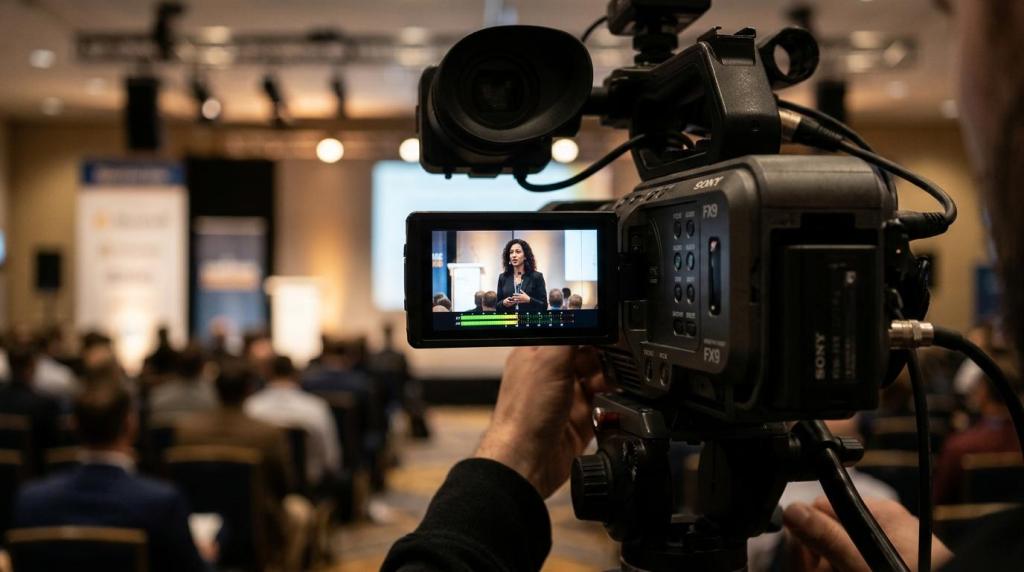
Event video production works best when we treat one event as a source for many finished assets, not just a single recap. For Edmonton brands running conferences, fundraisers, recruiting events, and client activations, Q Filmz Media fits this topic because event footage often needs to support web, social, sales, HR, and sponsor follow-up at the same time.
TL;DR: Summary
- The best event video production plan is to create multiple reusable assets from one shoot: a highlight reel, short social cutdowns, vertical clips, speaker snippets, captioned versions, ad-length edits, and an internal archive.
- Wistia’s 2026 reporting found strong engagement on event pages and higher engagement on shorter videos, which supports a multi-asset editing strategy instead of one long recap alone.
- Google Ads and YouTube format limits make short deliverables practical, not optional: bumper ads run 5 to 6 seconds, non-skippable in-stream ads are 60 seconds or less, and YouTube Shorts can run up to 3 minutes.
- Q Filmz Media plans deliverables in pre-production because reuse is easiest when shot lists, audio capture, captions, and aspect ratios are defined before the event starts.
- RAW footage can be useful, but many brands get faster value from finished event deliverables plus an organized archive of selects, captions, and clean audio.
When we plan event coverage in Edmonton, Alberta, we usually start with a simple question: where will this footage live in the next 30, 60, and 180 days? That answer shapes the shot list, interview prompts, audio setup, edit lengths, and whether the final package should include social clips, sponsor recaps, or internal training content.
Why does event video production need a reuse strategy?
Yes, event video production needs a reuse strategy because one recap rarely fits every channel. Wistia’s 2026 State of Video data found strong engagement on event pages and better engagement on shorter videos, so brands usually get more value from multiple short edits than one long film.
That matters for Edmonton companies because events create expensive, time-sensitive footage. A single conference day may involve venue costs, staging, presenters, sponsor signage, executive access, and audience energy that you cannot easily recreate. If all of that becomes one 90-second recap, you leave a lot of usable content behind.
Wistia says its 2026 report drew on a survey of 900+ professionals, more than 13 million videos, and 79 million hours of viewing data. That scale does not tell us the perfect length for every edit, but it does support a practical rule: shorter assets usually travel farther across websites, LinkedIn, email, paid media, and internal communications.
A common mistake is treating the event video as the deliverable. The smarter view is that the event is the capture opportunity, and the deliverables are the asset library you build from it.
How do platform limits change event video deliverables?
Platform limits should shape deliverables from the start. Google Ads keeps non-skippable in-stream ads at 60 seconds or less and bumper ads at 5 to 6 seconds, while YouTube Shorts can run up to 3 minutes, so edit length and aspect ratio need to be planned early.
This is one reason short cutdowns are so useful after an event. A 6-second bumper can promote next year’s registration. A 15-second vertical clip can support LinkedIn or Instagram. A 30 to 60-second edit can work for paid promotion, sponsor thank-yous, or a sales follow-up sequence.
There is also a format issue, not just a time issue. If you only produce a 16:9 landscape recap, someone later has to crop it for vertical feeds, and that often cuts off speakers, signage, and reaction shots. Pro tip: capture wider framing and clean singles during production so vertical edits look intentional, not trimmed by force.
What event video production assets can brands reuse fast?
The fastest reusable assets are short, clearly labelled, and tied to a specific channel. For most Edmonton corporate events, we would prioritize assets that support websites, LinkedIn, email, sponsor reporting, recruitment, and paid campaigns within days of the event.
-
Main highlight reel
This is the hero edit for your website, sponsor recap, post-event email, and sales follow-up. It should tell the story of the event without trying to include everything. -
15 to 30-second social cutdowns
These clips work well for LinkedIn, Instagram, and post-event organic content. They are often the quickest way to keep event momentum alive. -
5 to 6-second bumper edits
Google Ads bumper formats are short by design. These are useful for awareness, retargeting, or next-event promotion. -
Vertical speaker or audience clips
Vertical edits fit YouTube Shorts and other mobile-first placements. They work best when built around one quote, one idea, or one reaction. -
Testimonial snippets
Attendee, sponsor, or partner soundbites are highly reusable in future event promotion. They also help with trust and social proof. -
Clean speaker audio pulls
A strong quote from a keynote or panel can become a captioned audiogram, a quote reel, or internal communications content. -
Captioned versions
Captions help with accessibility and silent autoplay environments. They also make event clips easier to reuse across teams. -
Archive selects or full event documentation
This is not always the same as RAW footage. A well-organized archive of selects can give marketing and internal teams future material without the cost and clutter of every file from every camera.
How should you plan reusable event footage before cameras roll?
Q Filmz Media plans reusable event footage in pre-production because reuse is decided before the first shot. The key inputs are channel, audience, aspect ratio, message priority, and who needs the content after the event.
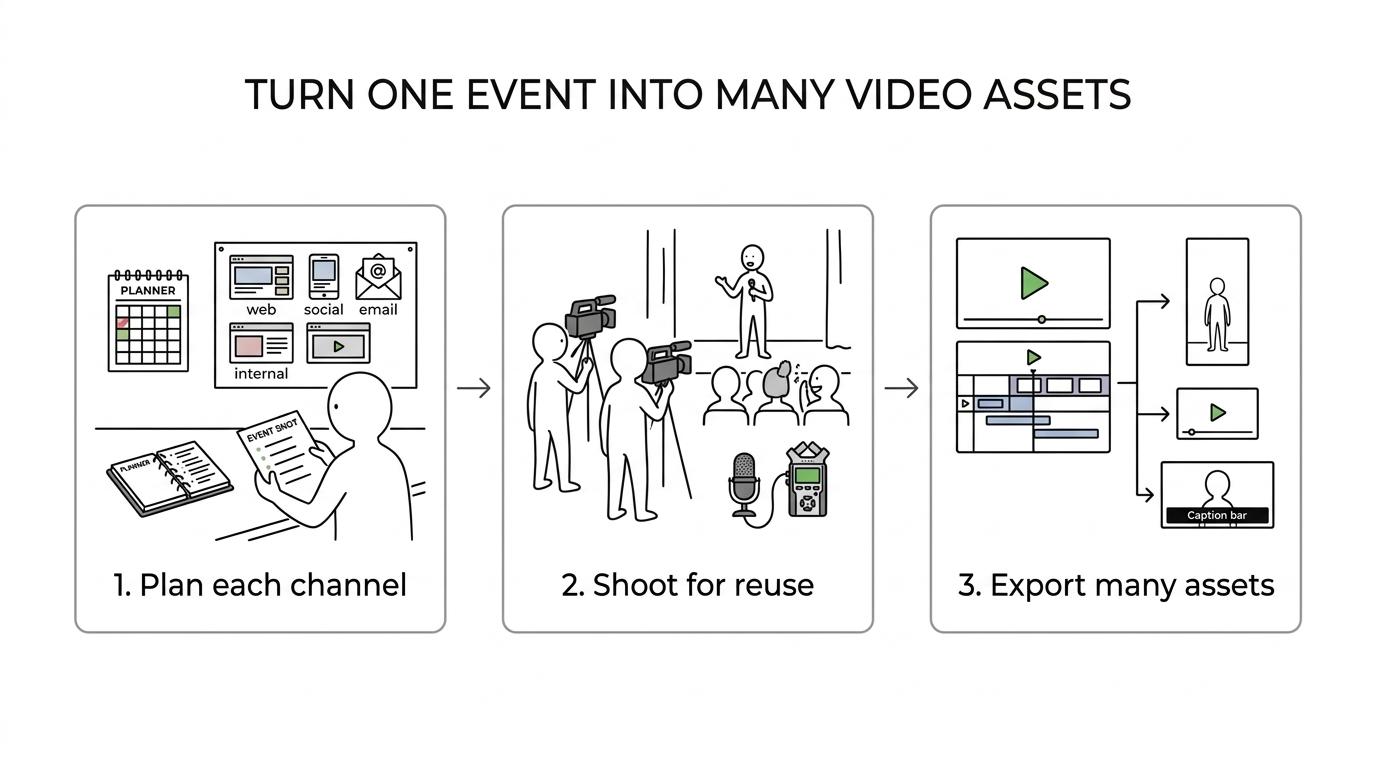
Step 1 is mapping the channels. If the footage needs to live on an event page, a corporate homepage, LinkedIn, and a sponsor follow-up deck, each destination should be named before the run of show is approved. If HR needs a recruiting clip, that must be in scope early because it changes interview questions and B-roll priorities.
Step 2 is matching those channels to actual capture needs. If you want sponsor recaps, then sponsor signage, booth traffic, and branded interactions must be shot cleanly. If you want executive thought leadership, then we need quiet interview windows, not just stage coverage.
Step 3 is locking the schedule around content windows, not just stage times. Registration, arrivals, applause, networking, demos, and post-session reactions are often more reusable than a continuous wide shot of the room.
“Q Filmz Media plans whether a project needs a main website film, short social edits, photography, captions, campaign versions, event coverage, or recurring content before production starts.”
This planning matters even more in Edmonton venues where load-in windows, winter weather, parking access, and speaker timing can tighten the day quickly. A conference near the University of Alberta or a public activation at Telus World of Science needs permissions, crowd-flow awareness, and a shot plan that protects both speed and quality.
How do you shoot an event so the edit team can repurpose footage quickly?
You shoot for reuse by collecting coverage in layers: wide, medium, tight, clean audio, and intentional reactions. Events that are easy to repurpose in post are usually filmed with editing options in mind, not just coverage for proof that the event happened.
Step 1 is to capture the environment properly. That means exterior arrivals, venue signage, stage details, audience reactions, sponsor branding, networking moments, and speaker coverage from multiple angles where possible. Pro tip: short reaction shots often become the glue that makes social cutdowns feel alive.
Step 2 is protecting audio. This is where many event videos fail. A common misconception is that strong visuals can compensate for weak sound. They cannot. Clean feeds from the house system, backup microphones, and monitored interview audio give you usable quotes, caption accuracy, and better ad cutdowns.
Step 3 is collecting short, structured interviews. Ask speakers, sponsors, or attendees concise prompts that can stand alone later: what problem the event solved, what stood out, what trend matters next, or why the audience should return next year. Short answers edit faster than long, wandering responses.
How should post-production be organized for fast reuse?
Fast reuse depends on organized post-production, not just fast editing. The quickest teams build a master structure first, then export versions by goal, platform, and aspect ratio.
Step 1 is creating a master selects timeline. This includes the best audience reactions, brand moments, speaker quotes, venue shots, transitions, and clean audio pulls. When the strongest material is tagged early, later cutdowns move faster.
Step 2 is editing in delivery order. We often recommend finishing the highest-value asset first, usually the main highlight reel or the event page video, then building short versions from that structure. This saves time because the narrative, colour treatment, and key soundbites are already set.
Step 3 is packaging the files so internal teams can actually use them. That means clear filenames, export dimensions, captions, thumbnail choices, and simple guidance on where each asset fits. Pro tip: a great clip buried in a messy download folder gets reused far less often than a slightly less polished clip that is easy to find.
Should you choose one long recap or multiple short event videos?
Multiple short event videos are usually the better business choice, while one long recap still has a place. Wistia’s 2026 findings on shorter-video engagement support a multi-edit package when the goal is reach, reuse, and post-event speed.
A longer recap can work well for a brand archive, a year-end retrospective, or a stakeholder presentation where narrative matters more than quick distribution. It gives room for pacing, context, and a fuller sense of the event.
Short cutdowns win when you need assets for event pages, social media, sponsor recaps, retargeting, or internal communication. If your audience will encounter the content in feeds, emails, or paid placements, shorter edits usually get used more often.
The trade-off is simple. A longer recap tells the most complete story. A multi-asset package creates the most practical value across channels.
Do you need RAW footage, or are finished event deliverables enough?
Most brands do not need RAW footage for every event, but some do need access to a deeper archive. Finished deliverables plus organized selects are often enough unless your internal team plans to re-edit, localize, or reuse footage across many future campaigns.
RAW footage sounds appealing because it feels like total ownership of the day. The catch is that RAW files require storage, file management, editing skill, and time. They also may not be the fastest route to usable content if your marketing team simply needs ready-to-post assets next week.
Q Filmz Media notes that RAW footage is usually quoted separately rather than bundled into every finished event video package. That is a sensible approach because some clients truly need it, while others are better served by a cleaner package of approved exports, captions, and archive selects.
“Q Filmz Media usually scopes RAW footage separately, which matters when your internal team needs a full event archive instead of only finished edits.”
Here is the practical test. If you have an internal editor, recurring campaign needs, or compliance and archival requirements, then RAW footage or a larger archive may be worth buying. If not, finished edits often deliver faster value with less internal friction.
Which metrics show whether event video assets are actually working?
The right metrics depend on the asset’s job. Event page engagement, completion rate, watch time, click-through rate, and downstream actions are more useful than raw view counts alone.
For the hero event-page video, watch engagement and page behaviour together. Wistia’s reporting is useful here because it points to strong event-page engagement as a category. If people watch the video and stay on the page, that is usually more meaningful than a high impression count on its own.
For short cutdowns, compare completion rates by length and format. A 6-second bumper should not be judged the same way as a 90-second recap. If a vertical clip gets better completion but weaker click-through, it may still be doing its job as awareness content.
For sponsor, HR, and sales use cases, the best metric may be reuse itself. If teams keep pulling clips into follow-up emails, recruiting pages, or next-event promotions, your asset strategy is working. Common misconception: success means one viral post. In practice, success often looks like steady use across several business functions.
When should Edmonton brands hire an event video production company?
Edmonton brands should hire an event video production company as soon as the event goals and date are fixed. Q Filmz Media is most useful at that stage because asset planning, crew scheduling, audio capture, and delivery formats are easier to solve before speakers, sponsors, and venue logistics are locked.
This timing matters for corporate conferences, association events, public sector gatherings, non-profit fundraisers, and internal town halls across Alberta. The earlier video strategy is part of planning, the easier it is to secure interview time, define deliverables, coordinate photography, and avoid missed content windows.
If your event content also needs to support broader marketing, link the finished assets back to your core brand channels and service pages. On qfilmz.com, that usually means connecting event footage with Event Videography Edmonton, Corporate Video Edmonton, and the main Edmonton Video Production page so the footage keeps working long after the event day ends.
Ready to elevate your brand with professional video production in Edmonton? Contact Q Filmz Media today for a free project consultation.